
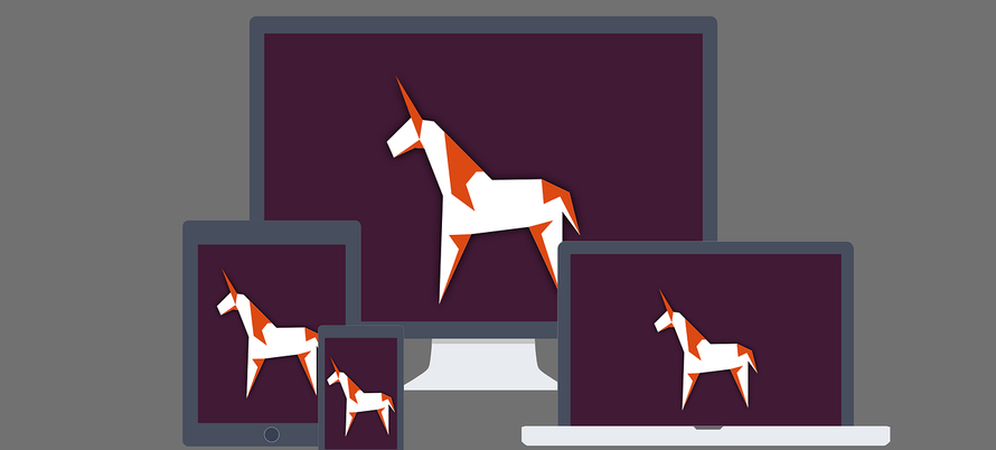
Nowadays, everyweb developerhas to focus on each screen that surrounds us.Desktop, mobile, tablet, TV, smartwatch, and so on, with specific aspects for each targeteddevice. Search engines such as Google are penalizing websites that do notoffer an experience adapted to mobile users. Therefore, thinking about all connected screens is a necessity.
Althoughresponsive design isasimpleand quick solution for adapting a website to different views, is it the best solution?Distributed designcould be a seriousalternative. More than a language specification, distributed design is anarchitecturethat defines inheritance and resources used for a requesting device. Unlike its counterpart, this solution does notrelyon media queries to adapt the display based on screen resolution. Instead, it relies ondevice detection to load specific resources. The idea is simple:same service, same URL, optimized rendering. The benefits are numerous, including finer weight management of pages (called resources), better display performance, adapted content, and reduced maintenance.
Some figures
The number of connected devices continues to grow, implying a huge diversity of environments to take into account. In 2015, 1 in 2 internet users owned a tablet, 1 in 3 owned a smart TV, and 1 in 10 owned a smart watch. Resolution, size, usage—if you want to make yourbrand visible, you have toadapt tousers' habits. It is crucial for a company to know how to bepresentoneach mediathat represents a potentialmarket.

Let's take a real-world example
The problem
You want to create a website with high visibility, capable of satisfying most of your visitors regardless of the device they are using, with an adapted view. You may already have a lot of visitors, or you may not.
Initial approach
An obvious answer would be to use CSS media queries in order to adapt elements style, hide or show blocks and so on. I have to admit that solution will work and provide a relatively sufficient result. However if you start thinking about optimizing your pages, you will start to encounter problems such as how to adapt image resolution according to the viewport, how to get rid of duplicated DOM nodes, how to load only needed scripts or how to limit the number of requests to your API.
Of course there are solutions for each of these issues. You will probably tell me that we can use "srcset" with a polyfill for adaptive image resolution, use asynchronous script loading to adapt them to the current device, etc. But if we take each problem individually, it can have impacts on other areas, such as execution performance with too much JavaScript to run or slow page loading due to excessive weight.
Solution
Here comesdistributed designgoodness. What if your service could automatically load a list of defined dependencies according to the device? What if you couldautomatically load only the code needed by your device? And what if you couldshare templatesbetween devices and include specific features only when needed?

The devices share common parts, styles, and sources, and can also have individual features.
Architecture
The architecture relies on three main components. Each one can be implemented differently depending on the environment and code languages used, but the goal will always be the same.

1. Device detection
First step, definewhat kind of deviceis interrogating your service. The common method is to rely on browser user agent filtering. Thisfilteringcan be done ontheHTTPcache server side, HTTP server side, or in your application. For obvious performance reasons, the sooner this filtering is done in the request flow, the better.
If you still prefer to do it directly in your application, possibly because of your environment constraints, a number of open source bundles are available to avoid the frustrating pain of writing rules that cover every conceivable device (MobileDetectBundle, Spring device detection, etc.).
However, if you are the adventurous type and still want/need to create your own filtering rules, there are many free sources that reference the huge number of existing browser user agents. A good source is:https://udger.com/resources/ua-list/devices.
Please note that device filtering should be performed once per request and the result should be available throughout your application.
2. Template inheritance
Now that you have a way to detect the requesting device, you have todeliver it the right visual.You should have a directory structure organizing templates by device and a common folder for shared templates.
The idea is to implement a service that willautomatically loada template adaptedto the context given its name. The service should follow these rules:
- If the path of the required template is relative, check in the detected device folder if the templates exist and load them, otherwise check in the common folder and load them.
- if the path of the required template is absolute, load it directly (used to force the loading of a specific version)

With these rules, you will be able to mix common parts with device-specific parts.
Another advantage is that you can override any part of your visual at any time simply by creating a template in the targeted device folder. For example, if you have a common sidebar block for desktop and tablet and you decide to have a different view for tablet, simply create a new copy of your template in the tablet folder and it will be automatically loaded.
When organizing your templates this way, it will be easier to create, modify, and maintain your layouts. Then the introduction of a new supported device will be much faster.
3. Resource bundling and delivery
The last crucial point is toorganize resourcesfor each device in a way that will allow only those needed by the requesting device to be delivered. Many tools dedicated to concatenation and minification already exist. With the advent of Node.js and its ecosystem of packages such as Grunt or Gulp, the process of minification is becoming a common task. But for distributed design, you will have to push the logic a little further and split resources such as JS and CSS into separate folders.
As previously stated for the templates,the resources should be divided into folders named after devices and into a common folder. This way, we can create lists of resources for each device and generate a final bundled resource for delivery.

Following this process, we can have, for example, these bundles generated:
| Target | Resources | Generated file |
| Desktop | common/utils.js, common/conf.js, desktop/jquery.js | desktop.js |
| Tablet | common/utils.js, common/conf.js, tablet/jquery-mobile.js, tablet/tables.js | tablet.js |
| Mobile | common/utils.js, common/conf.js, mobile/jquery-mobile.js, mobile/touch.js | mobile.js |
| Mobile | common/layout.css, common/article.css, mobile/article.css, mobile/mobile-ad.css | mobile.css |
| TV | common/utils.js, tv/conf.js, tv/layout.js | tv.js |
Theadvantagesof this process arebetter page weight management andbetter load performance. It alsoensures a reduction in the risk of conflicts between styles or libraries.
All in all, distributed designisnotareplacement for responsive design. Itis more of anarchitecture thatwill take responsive design one step further. It could afford easier maintenance, better overall page rendering and delivery, and a more flexible way to handle device-specific content. Thanks to the fact that you can reuse your previously written templates, styles, scripts, and tools, migrating to this kind of architecture could bereally fast. This is a solution that every company should consider when it is sensitive aboutperformanceandadaptive content.
