

Par Amir BENYEKKOU - Ingénieur Systèmes, Virtual Infrastructure chez Squad
Ce premier article traite de l’optimisation des performances relatives à l’hyperviseur vSphere de VMware, plus précisément des composants Réseau, Stockage, Processeur et Mémoire.
Un second article sera dédié au troubleshooting de ces composants et leurs performances associées en monitorant différents indicateurs.
Une connaissance préalable des environnements vSphere est nécessaire avant d’effectuer les modifications de ces performances.
L’ensemble des bonnes pratiques pour optimiser les performances peuvent être accessible sur la documentation officielle VMWare : https://www.vmware.com/content/dam/digitalmarketing/vmware/en/pdf/techpaper/performance/Perf_Best_Practices_vSphere65.pdf

Techniques de virtualisation
Au tout début, VMWare utilisait la translation binaire comme technique de virtualisation logicielle au sein d’un hyperviseur nu. Cette technique générait de l’ "overhead" sur les performances au niveau du processeur de l’hyperviseur.
Avec l’arrivée de la virtualisation matérielle au sein du processeur, le Virtual Machine Monitor ne s’exécute plus en Ring 0 et le guest OS en ring 1(1) : le VMM dispose d’un mode privilégié permettant de capturer les requêtes kernel du guest OS, ce dernier s’exécutant en ring 0 .
De même pour la gestion de la mémoire (Memory Management Unit), le VMM gère une correspondance entre la mémoire des OS invités et la mémoire physique. Au départ était utilisé une technique logicielle nommée Shadow Page Tables qui générait également de l’ « overhead » au niveau du processeur. L’arrivée de techniques gérées directement par le processeur ont considérablement amélioré les performances.
Il existe autant de VMM que de machines virtuelles sur un hyperviseur : le VMM donne accès aux technologies du VMKernel (scheduler, gestion mémoire, piles réseaux et stockage) et gère les techniques de virtualisation de chaque machine virtuelle.
Un Processeur virtuel est donc constitué de son jeu d’instructions utilisé et du MMU (Memory Management Unit) pour former son mode d’exécution Monitor Mode (2).
Le Monitor Mode se reflétera dans l’exécution de chaque machine virtuelle dans le fichier vmware.log de la machine virtuelle sur un hyperviseur de type ESXi en cherchant le mot clé « MONITOR MODE » :
- BT : Binary Translation et Shadow Page Tables (virtualisation logiciel CPU/Mémoire)
- HV : Hardware Virtualization et SPT (virtualisation matérielle CPU, logicielle pour la mémoire)
- HWMMU : Hardware Virtualization pour CPU et mémoire
En fonction du mode utilisé cela aura directement un impact sur les performances (https://kb.vmware.com/s/article/1036775)
Optimisation des Performances sur le composant Réseau
Un vSwitch est un switch virtuel faisant office de passerelle entre les vNics (interfaces réseaux virtuelles) des machines virtuelles et les NICs (interfaces réseaux physique) d’un hyperviseur ESXi.

Dans un environnement vSphere et en fonction du type de licence utilisée sur les hyperviseurs ESXi, deux types de switchs virtuels peuvent être utilisés, le vSwitch standard ou le Distributed vSwitch (DVS). Les DVS sont uniquement disponibles dés lors que l’on utilise une licence Enterprise sur un vCenter (système de gestion centralisé de VMware). La configuration d’un DVS est distribuée sur l’ensemble des hyperviseurs ESXi et effectuée directement depuis le vCenter alors que la configuration d’un vSwitch standard doit être effectuée sur chaque hyperviseur ESXi.
Un DVS apporte des fonctionnalités supplémentaires par rapport à un vSwitch Standard :
- Pas de perte de connectivité d’une machine virtuelle lors d’un vMotion (Migration d’une machine virtuelle d’un hyperviseur à un autre)
- Le « control plane » est géré par le vCenter et l’IO Plane par les hyperviseurs ESXi
- Le « Load Balancing » des cartes réseaux physiques des hyperviseurs est basé sur la charge des IO réseaux, LACP
- Trafic Shaping entrant et sortant (le trafic sortant est supporté avec le vSwitch standard)
- Private VLANS pour segmenter un réseau de niveau 2 (idéal sur une DMZ ou un réseau d’hébergement composé d’IPs publiques)
- Troubleshooting réseau grâce au Port Mirroring, ou monitoring de port et NetFlow
- Troubleshooting DVS avec HealthCheck sur les erreurs de configuration
- Sauvegarde et restauration des DVS
- Network I/O Control pour allouer des réservations, limites, bande passante et partage à chaque type de flux sur les ESXi et les machines virtuelles
Dans le design ou l’évolution d’un environnement vSphere complexe et conséquent il sera donc préférable d’utiliser des DVS (https://kb.vmware.com/s/article/1010555)
Sur une machine virtuelle, plusieurs types de vNICs peuvent être utilisés :
- Vlance, E1000 & E1000e : pilotes émulés
- VMXNET, VMXNET2, VMXNET3 : pilotes para-virtualisés
Il conviendra donc de s’assurer que le type VMXNET3 est utilisé avec une installation des vmtools dans la machine virtuelle pour s’assurer des performances maximales et des dernières fonctionnalités disponibles (3).
On retiendra notamment TCP Segmentation Offload (TSO) permettant de réduire l’ « overhead » du processeur (ceci doit être activé manuellement sur les machines virtuelles), les Jumbo Frames permettant d’utiliser des trames avec un MTU à 9000 (montage de filesystems NFS dans une machine virtuelle sur un réseau de stockage dédié) et l’utilisation de carte 10G dans les machines virtuelles.
Optimisation des Performances du Stockage
Dans un environnement vSphere on peut utiliser des baies de stockage basées sur les protocoles de type SAN (FC, FCoE et iSCSI) ou NAS (NFS/CIFS).
Le choix du type de protocole, la configuration du stockage, l’équilibrage de charge, la gestion et la profondeur des files d’attente, la configuration des VMFS et le type de HDD virtuels auront un impact sur les performances des charges de travail.
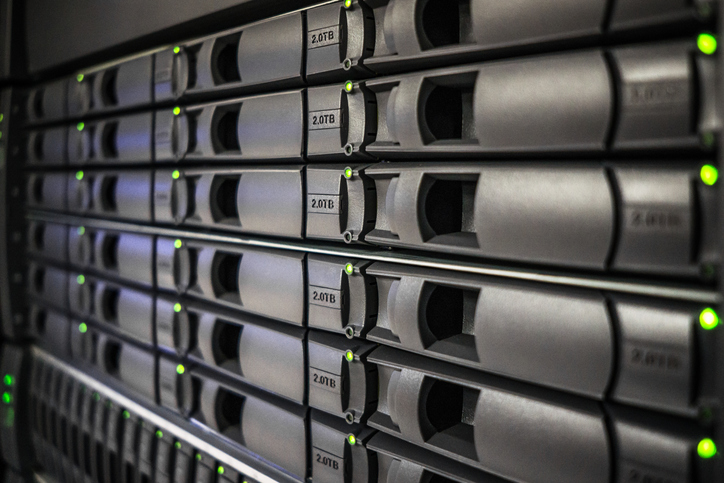
Voici différentes mesures applicables qui peuvent améliorer les performances du stockage. Dans un environnement SAN/NAS le niveau de RAID doit être en adéquation avec les attentes des charges de travail en termes de performances et les bonnes pratiques de multipathing(4) doivent être appliquées :
- Pour une baie active/passive : Most Recently Used (MRU)
- Pour une baie active/active : Fixed
Dans la mesure du possible, il faut utiliser les plugins du constructeur de la baie s’ils sont disponibles (PSP : Path Selection Plugins)
La profondeur de la file d’attente des cartes HBA, du VMKernel et des LUNS (côté baie) sera ajusté si le nombre de commandes à un instant T engendre de la latence sur les opérations SCSI.
L’utilisation de protocoles iSCSI ou NFS devra s’assurer que le réseau Ethernet sous-jacent n’est pas saturé et disposer d’un réseau dédié. La séparation du trafic de stockage du trafic des machines virtuelles est également recommandée.
Pour les machines virtuelles, le choix du type de disque aura un impact sur les performances :
- Thick provisionned : allocation et formatage complet à l’initialisation avec de meilleurs performances
- Thin provisionned : allocation et formatage à la demande lors de l’initialisation avec des performances moindres.
Afin de mieux contrôler les performances, les constructeurs mettent à disposition différentes APIs, vSphere Storage API Array Integration (VAAI) pour accélérer les opérations sur les IO ainsi que les vSphere API for Storage Awareness (VASA) ils apportent les fonctionnalités suivantes :
- Réduction de l’overhead CPU des ESXi sur les opérations de stockage en les dédiant à la baie sur un environnement SAN/NAS
- Intégration de la topologie, capacité et statut des baies de stockage
En complément de ces composants, vSphere fournit la possibilité de mettre en place des politiques de stockage pour placer des machines virtuelles sur du stockage adapté à la charge de travail, d’utiliser des clusters de datastores afin de répartir la charge IO ou encore vSphere IO Control pour faire de la QoS sur les IOs des machines virtuelles (uniquement en iSCSI et Fibre Channel).
Optimisation des Performances du processeur
Le CPU scheduler sur les hyperviseurs ESXi est en charge de répartir la charge des vCPUS (processeurs virtuels) sur les pCPUS (processeurs physiques) ainsi que de planifier l’exécution des contextes d’exécution. Une VM est une collection de world : un pour chaque vCPU, un pour le VMM, un pour le clavier, etc.

Lors d’une allocation excessive des vCPUS par rapport aux pCPUS, un temps proportionnel est affecté à chaque vCPU en fonction des partages, limites et réservations paramétrés sur les machines virtuelles.
Plusieurs causes peuvent affecter les performances CPU :
- Les machines virtuelles « idle » : il engendre de « l’overhead » dû aux requêtes d’interruptions des machines virtuelles
- CPU affinity : cela consiste à affecter directement des vCPUS à des pCPUS et peut engendre un déséquilibre de charge CPU
- VMs SMP : il est recommandé d’utiliser des kernels SMP et non uni-processeur
- Allocation vCPUS : allouer le moins de possible de vCPUS à une machine virtuele pour diminuer la charge de planification par le CPU scheduler
- NUMA sur des systèmes multi-sockets : allouer de la mémoire ou des vCPUs à une machine virtuelle au-delà des capacités d’un nœud NUMA peut provoquer une baisse de performance conséquente sur une charge de travail.
Un indicateur d’alerte, le « Ready Time » indique le temps d’attente d’un vCPU pour obtenir des cycles processeur sur l’hyprviseur ESXi, si ce dernier augmente alors les vCPUS des machines virtuelles sur l’hyperviseur sont en contention.
Optimisation des Performances Mémoire

L’allocation de la mémoire physique à une machine virtuelle est toujours faite à la volée par l’hyperviseur ESXi. Ce dernier n’a pas accès au contenu de la mémoire physique de la machine virtuelle et n’est pas conscient de la libération mémoire effectuée par la machine ou de son contenu.
Il existe plusieurs techniques d’optimisation et de réclamation mémoire(5) [effectué par l’hyperviseur lorsque la mémoire vient à être saturée ou que l’allocation mémoire aux machines virtuelles est supérieur aux capacités mémoire de l’hyperviseur.
Les techniques suivantes interviennent dans l’ordre pour libérer de la mémoire :
- Transparent Page Sharing : partage des pages mémoire communes à plusieurs VMs (désactivé par défaut)
- Ballooning : un driver spécialisé utilisé par les vmtools va demander à l’OS invité de libérer de la mémoire inactive ou libre afin que l’hyperviseur puisse récupérer de la mémoire
- Compression Mémoire : elle intervient uniquement s’il y a sur-allocation de la RAM. Les pages mémoire pouvant être swappés seront compressés directement en mémoire et uniquement si le taux de compression est supérieur à 50%
- Host Swapping : l’hyperviseur crée un fichier de swap hors de la machine virtuelle lors de son initialisation et permet de swapper aléatoirement de la mémoire (active/inactive)
Sources
(1) : Understanding Full Virtualization, Paravirtualization, and Hardware Assist - White Paper
(2) : Software and Hardware Techniques for x86 Virtualization - Information Guide VMware
(3) : Performance Evaluation of VMXNET3 Virtual Network Device - Performance study VMware
(4) : Understanding Multipathing and Failover - FAQ VMware Docs
(5) : Understanding Memory Resource Management in VMware® ESX™ Server - White Paper
