
By Benjamin L. – TheExpert UX/UI Designer at Squad
In France, 24% of the working population aged 15 to 64 is considered disabled. In addition, more than half of these people suffer from multiple disabilities.
Video games exist to provide us with an experience, but even a minor disability can make that experience unpleasant or even impossible. That's why it's important for designers to consider all the elements that could pose a problem and come up with an appropriate solution.
Video games are for everyone, and everyone should have access to them. Let's take a look at the most common disabilities and what solutions you can implement in your game to offer the best possible experience for all players, whether they have a disability or not.
Hearing
Hearing impairments affect approximately 13.2% of the working population in France.
> Problems encountered
The most obvious problem comes from the dialogues. Hearing poorly or not hearing at all can greatly complicate the gaming experience. And even when the game has subtitles, how do you know who is speaking?
Similarly, imagine that an enemy shouts "grenade!" but you can't hear them. You can imagine what happens next... The fact that some games based exclusively on sound or music are not 100% accessible is not a problem. But missing important information from a character or your environment simply because it is only given to you through audio is another story.
> Solutions
In the latest Tomb Raider games, there is an option to color-code subtitles. During dialogue, as soon as a character speaks for the first time, their name is displayed and assigned a color. Throughout the rest of the dialogue, that character's subtitles will always be the same color. This allows you to always know who is speaking, even when you can't hear their voice. Other less ingenious but still effective systems begin each subtitle with the name of the character who is speaking.
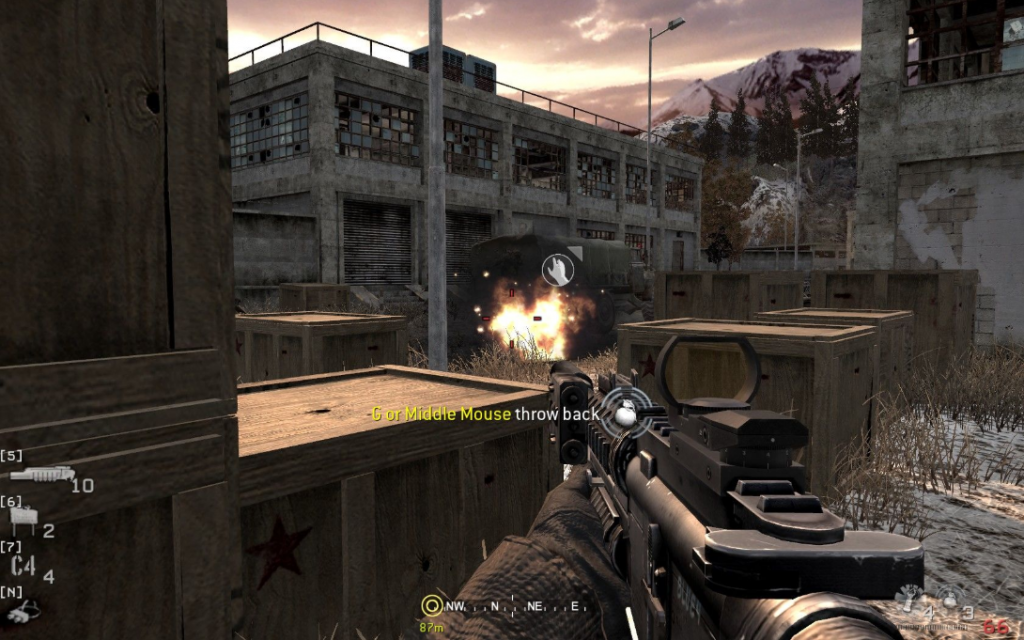
As for other game elements, visual aids are always appreciated when audio information is important. In Call of Duty, for example, when a grenade is thrown near you, a grenade icon flashes, prompting you to get out of there fast.
Fortnite takes this concept even further with the mobile version of its game. Each sound is represented on the screen by the direction of its origin, and its type is indicated by an icon (feet for footsteps, fire for gunshots, etc.).
Motor skills
Motor impairments affect approximately 5.8% of the working population in France.
> Problems encountered
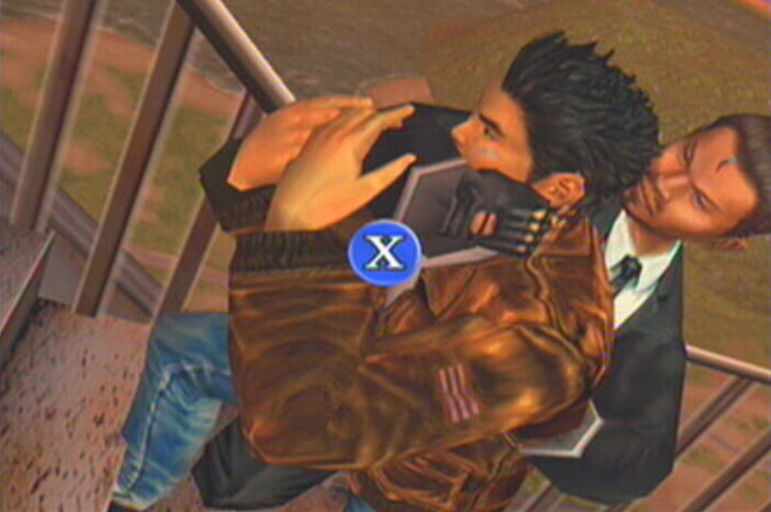
The main difficulty encountered by players with motor impairments is discomfort or inability to perform certain physical actions: holding the controller, pressing a button or trigger, holding a button down, pressing a button quickly, etc. In addition, excessive vibration of the controller can also cause pain or loss of grip on the controller.
So if you ask your players to rapidly press the triangle button to fight an enemy, there is a good chance that you will lose some of your players if there is no alternative solution.
> Solutions
The first thing to do to address this issue is to let your players "remap" the keys, i.e., choose for themselves which button triggers which action. This way, if a trigger is difficult for a player, for example, they can decide to use a standard button instead.
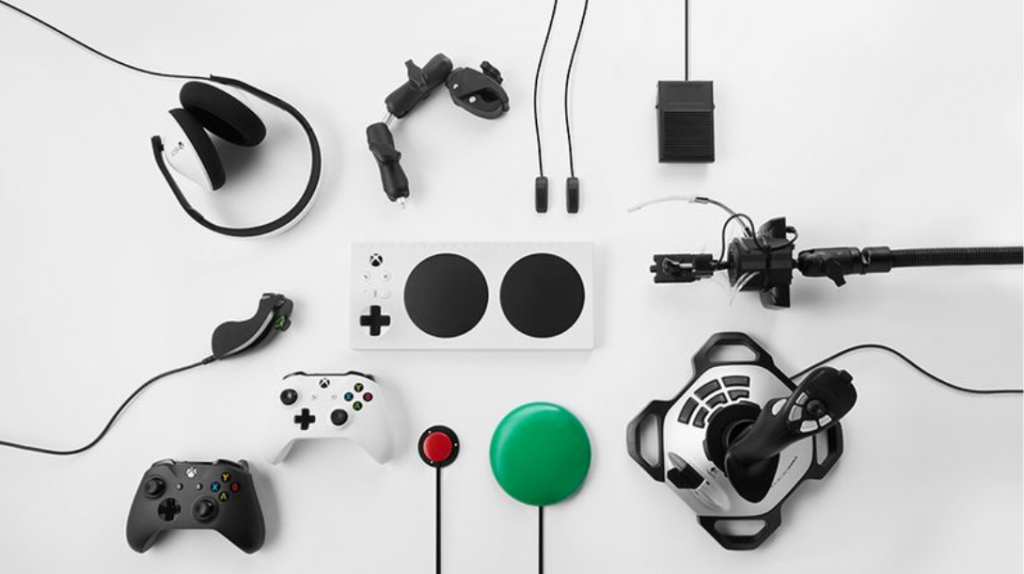
In terms of controllers, the best example is the Xbox Adaptive Controller, which offers a wide range of customization options. With large buttons, joysticks, and keys, you can configure this controller however you like. Every person is unique, and such a wealth of customization options allows it to be adapted to each and every one of us.
Finally, many games allow you to trigger certain difficult actions in other ways. For example, in Mario Kart, you can accelerate automatically instead of having to keep your finger pressed down on the button. In Uncharted, you can activate "Assisted Camera" mode, which will follow your character, allowing you to play with a single directional joystick instead of two. Allowing players to adjust the sensitivity of the cursors and the intensity of the vibrations is also a big plus for many players.
Vision
Visual impairments affect approximately 4.3% of the working population in France.
> Problems encountered
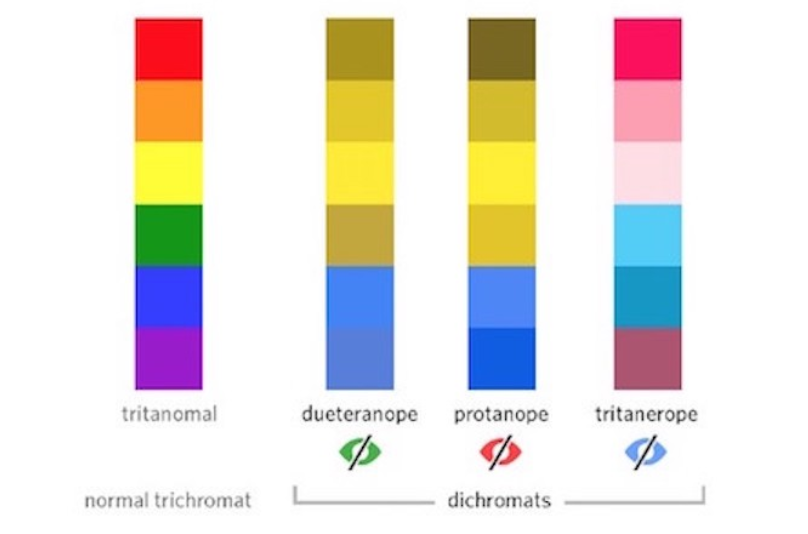
In many video games, enemies are red and allies are green. Handy! Except if you're color blind... 1 in 12 men is color blind, and 1 in 200 women is color blind. What's more, some games use colors to convey important information or to solve puzzles. There are different forms of color blindness, the most common being the confusion of red and green, and the rarest allowing only shades of gray to be seen.
Next comes the problem of subtitles. While subtitles have become commonplace on television and their display standardized, it must be acknowledged that the video game industry has yet to catch up. Long speeches subtitled with text that is too small and takes up the entire screen, with a fancy font, white on a gray background, etc. There is no shortage of bad examples. What's more, reading and playing at the same time is not necessarily easy, so imagine doing so with text that is difficult to read...
Finally, who said that blind people couldn't play video games? With a few minor adjustments, certain games could be enjoyed by a wider range of players.
> Solutions
There are various solutions available to help people with color perception problems. The most common solution is to offer different color schemes for the interface, enemies, environment, etc. for the three most common types of color blindness. And since this customized color scheme is not sufficient for all players, some games allow players to fully customize important colors.
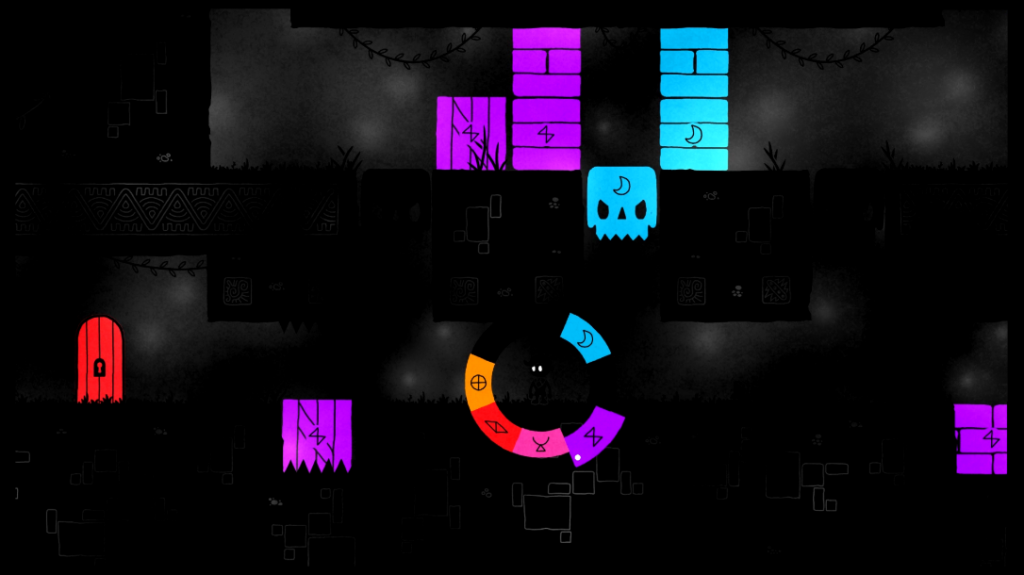
A better approach is to never rely solely on color. For example, in the indie game Hue, the colorblind mode associates each color with a symbol. For a color-based puzzle game, this was essential. Similarly, ReCore is a game where you have to use a different weapon depending on the color of your enemies. The developers had the good idea of indicating a symbol corresponding to the weapon to be selected on the enemies' health bar.
When using subtitles, it is important to consider the viewing context. We often play games away from our TV, on a large screen. Subtitles should therefore be large, short, and have good contrast (ideally white text on a slightly transparent black background). It's also important to avoid fancy fonts. There's no point in reinforcing the theme of a game if many players can't read anything. For example, all the handwritten messages you find in Life is Strange are also available in a real, readable font.
Finally, just as a symbol can help someone who is color blind, a sound effect can help blind or visually impaired people. This is why many fighting games can be played by blind people, and why there are speedruns of Punch Out where the player is blindfolded. Making it possible to know your opponent's actions through a specific sound or vibration in the controller makes this feat possible.
Cognition
Cognitive impairments affect approximately 1.8% of the working population in France.
> Problems encountered
Intellectual disabilities can take many forms: dyslexia and other reading disorders, learning difficulties, mental retardation, etc. In video games, this translates into difficulty reading subtitles and text, or greater difficulty navigating or remembering the actions to be performed.
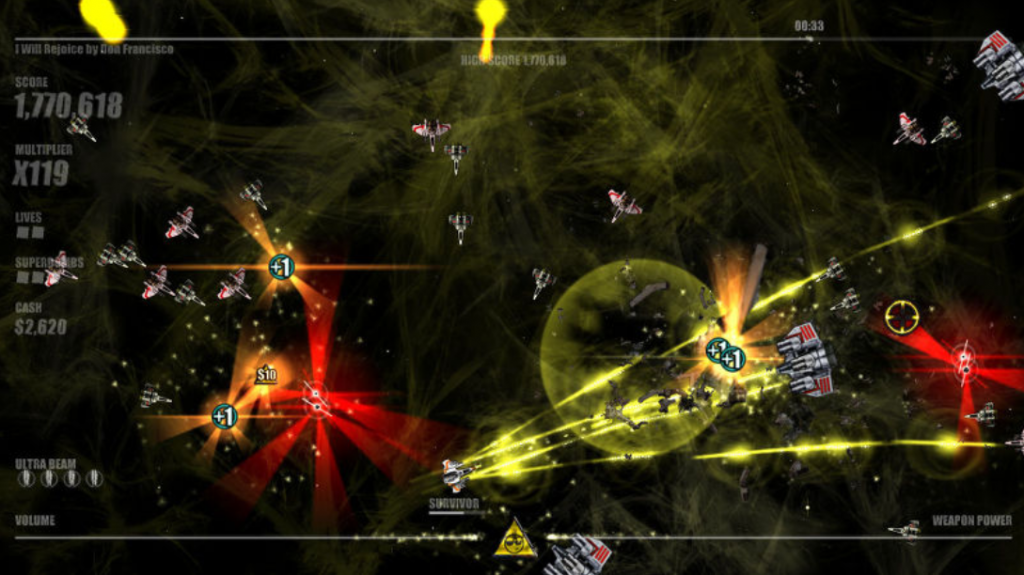
Another type of problem that can arise is related to sensitivity, which varies from one player to another. One example is motion sickness, which occurs when camera movements are too sudden or too wide. Finally, for photosensitive people, games containing lots of flashing lights and rapid movements are very unpleasant.
> Solutions
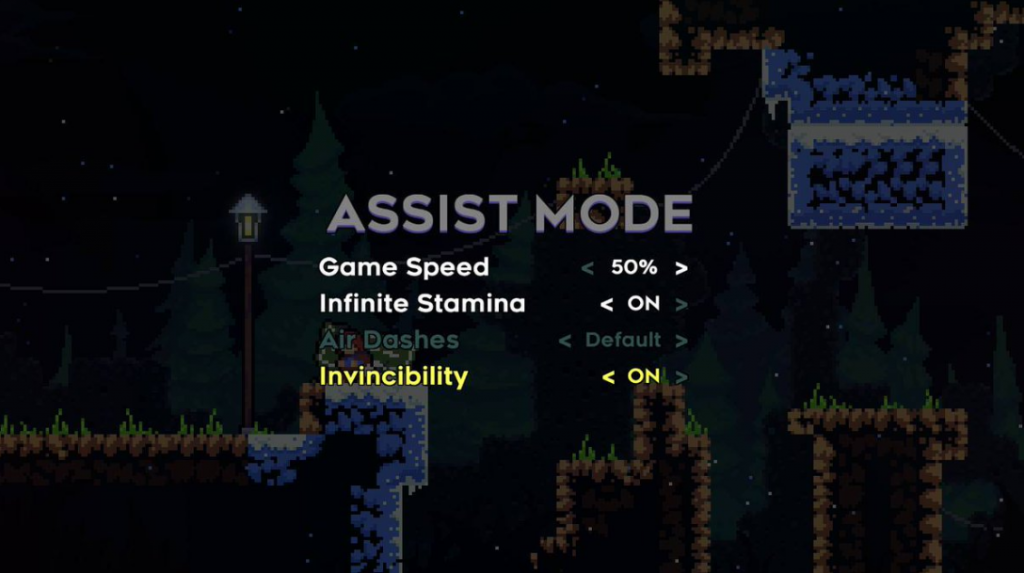
The best way to help players with cognitive impairments is to give them time to play at their own pace. For example, the video game Celeste has an option to slow down the game speed. And given the difficulty of the game, I'm sure many players without cognitive impairments use this mode too!
Another good habit is to let players scroll through text or dialogues manually, rather than automatically. This way, everyone has time to read at their own pace.
In the same vein, it is important to be able to take a break from time to time. In single-player games, being able to pause time and take a breather is greatly appreciated by all players, especially those with disabilities. Displaying the controls on screen can also be a good idea for players who have difficulty learning, or even for those who are picking up the game again after a long break.
Finally, there are options to reduce camera movement and head movement to prevent motion sickness. Similarly, being able to disable or reduce flashes and shaking is always a good thing.
Conclusion
Video games are far from being accessible to everyone. But little by little, designers and developers are using innovative solutions to help players who are struggling. Best practices are emerging, and options and advanced customization are making it possible to adapt to a wide variety of players. This means that each and every one of us, no matter who we are, can enjoy the pleasure of slaying an orc or lining up magic orbs. Little by little, truly anyone who wants to will have access to the great art form that is video gaming.
Resources
Infographic on disability in France
Infographic on disability in France:https://www.seton.fr/infographie-handicap-france.html
Designing for disability
Accessible games: https://accessible.games/
