

By Ndeye Maty K. - Cybersecurity Expert
Since the V.80 update of Google Chrome in February 2020, we have received reports from customers experiencing application bugs related to the use of Google Chrome and the security measures implemented (Chrome 80 SameSite cookie attribute enforcement).
Application bugs
We found that the deployment of the update encountered difficulties with the persistence cookie of our Virtual IPs hosted on our BIG-IP (F5). Our users received the following error:
Chrome 80 SameSite cookie attribute enforcement.
Google has strengthened the security and privacy rules for its browser, particularly regarding the use of cookies. Their goal is to reduce CSRF (Cross Site Request Forgery) attacks by checking the "SameSite" attribute in cookies in accordance with RFC: rfc6265bis. This attribute dictates how the browser should send cookies to third-party domains .
Consequence : if the server generating the cookie does not specify the " SameSite In the cookie, a default behavior is imposed by the browser.
In the case of Chrome, the imposed behavior takes the value of " SameSite = Lax ".
Verification of this attribute in cookies is also becoming widespread in other browsers such as Firefox and Edge, and eventually these browsers will impose a default behavior similar to Chrome:
- Firefox is implementing this behavior in testing starting with version 69.
- Edge implements this behavior in testing starting with version 80.
Recalls possible values for the "SameSite" attribute as well as use cases:
| First-party cookie | Created by websites visited by a user and is used to record data such as shopping cart items, login credentials (e.g., authentication cookies), and other analytics. |
| Second-party cookie | Technically the same as a first-party cookie. The difference is that the data is shared with a third party via a data partnership agreement. |
| Third-party cookie | Installed by a domain other than the one the user has explicitly visited and is primarily used for tracking (e.g., "Like" buttons), AD service, and live chats. |
SameSite can have 3 values:
| Value of the attribute | Behavior | Value | Attribute specification |
| Lax | Cookies will only be sent automatically in a first-party context and with HTTP Get requests. SameSite cookies will be refused on cross-site sub-requests, such as calls to load images or IFrames, but will be sent when a user navigates to the URL from an external site, for example, by following a link. SameSite cookies will be refused on cross-site sub-requests, such as calls to load images or IFrames, but will be sent when a user navigates to the URL from an external site, for example, by following a link. | By default | Set-Cookie: key=value; SameSite=Lax |
| Strict | The browser will only send cookies for requests with a "first-party" context (requests originating from the site that defines the cookie). If the request originates from a URL different from the current location , none of the cookies marked with the Strict attribute will be sent. | Optional | Set-Cookie: key=value; SameSite=Strict |
| None | Cookies are sent in both first-party and cross-origin requests. However, the value must be explicitly set to None and all browser requests must follow the HTTPS protocol and include the Secure attribute, which requires an encrypted connection. Cookies that do not adhere to this requirement will be rejected. Both attributes are required together. If only None is specified without Secure or if the HTTPS protocol is not used, the third-party cookie is rejected. | Optional, but if defined, the HTTPs protocol is required. | Set-Cookie: key=value; SameSite=None; Secure |
Using the OPEN AM component
We use an OPEN AM component for transparent cookie authentication. F5 load balancers manage access to applications through configured VIPs.
Security blocks the authentication VIP cookie (seen as a third-party site) from all cookies that do not come from the same URL (those from the application servers and the authentication VIP).
So, the authentication VIP cookie, created by F5 itself, forces a browser to return to the same application server, which poses a problem.
Indeed, there is no attribute SameSite " in the cookie, and Chrome's default behavior is " SameSite = Lax (first-party authorization only). Consequently, Chrome blocks the request because it is a cross-site use.
It is therefore necessary for our cross-site applications to define the attribute " SameSite = None; Secure ".
Solution: implementation of an irule
On Devcentral,an irule (F5 script) allows you to take into account different browser versions and the use/addition of the SameSite attribute:
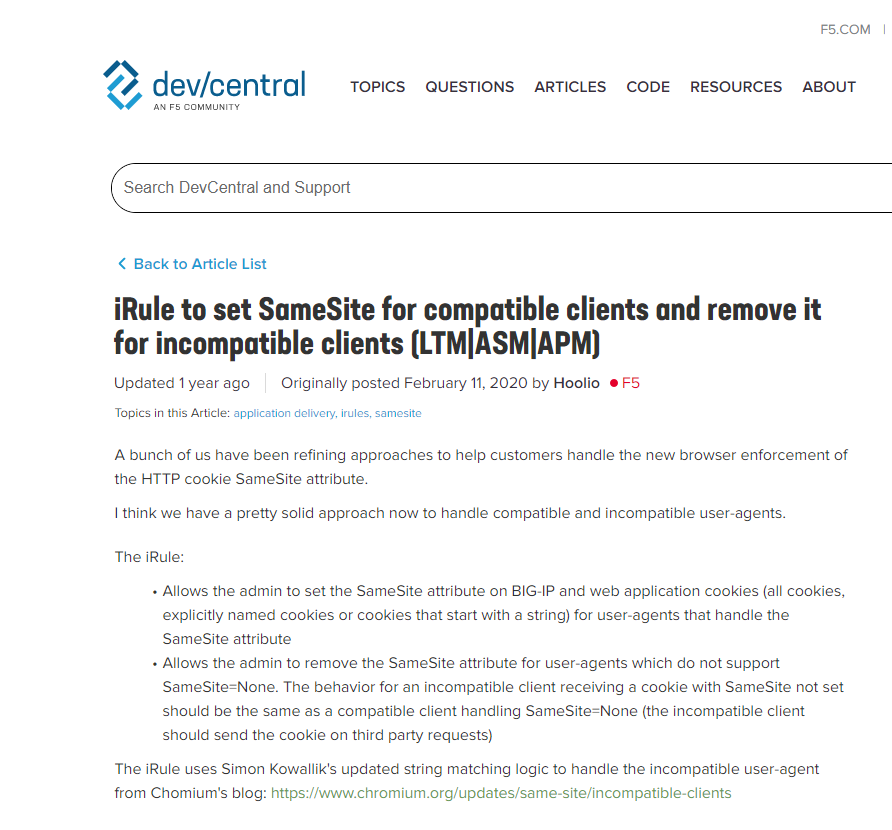
After some discussions with the support teams, we implemented the iRule proposed by F5, which was the most suitable workaround for our situation while we waited to upgrade all our BIG-IP ASMs to v15.
Currently,sOnly the ASM module from version 13.1.0 onwards allows you to specify the SameSite attribute without using an irule., but a bug is referenced: Bug ID 879841: The same-site domain cookie option is missing the "None" value in the GUI and rest. :
Known Affected Versions: 15.1.0, 15.1.0.1, 15.1.0.2, 15.1.0.3, 15.1.0.4
Fixed In: 16.0.0
Conclusion
Like Chrome, recent browser versions opt for the Lax value as the default to mitigate risks associated with CSRF attacks (cross-site request forgery).
At the browser level, this protection mechanism is therefore necessary, which consists of not allowing a cookie (used for authentication) to serve a request coming from another location (same-site cookies), and at the server level, action must be taken to respond only to legitimate requests.
Following customer feedback, F5 BIG IP has been working since last year (2020) to implement this option for managing the SameSite attribute of cookies.
On BIG IP ASM v13, v14, v15, and v16, it is now possible to manage the insertion of the Samesite attribute with the desired value without having to set up an irule.
Sources:
https://support.f5.com/csp/article/K03346798https://www.chromium.org/updates/same-site/faq
