

By Michael V., Cybersecurity Expert
CodeQL is a tool that allows you to discover vulnerabilities by analyzing the source code of your applications.
It can be used for automated testing during the Software Development Life Cycle (SDLC), as well as by security researchers for specific projects.
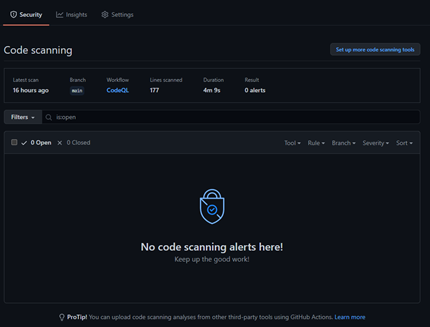
One of its most common use cases is probably the automatic scanning of GitHub projects, which is available free of charge [1].
The tool stands out thanks to its queries in the following format: from-where-select "that can be run directly online [2].
It is also possible to use the tool to search for vulnerabilities in code hosted or repatriated locally on a dedicated machine. This is where CodeQL-CLI comes in.
This tool is already very well documented [3]. The idea behind this article is to get straight to the point in order to quickly narrow down the search for vulnerabilities in a target application, with a view to then conducting more specific tests.
To do this, you need to download the toolkit in order to use it locally, namely:
- The binaries that enable us to execute our queries [4];
- The queries themselves [4], which will serve as the basis for beginning the search for vulnerabilities.
These two items are then placed side by side in the same directory. Since they have the same name, one of them must be renamed. In our case, the folder containing our queries is called " codeql queries Note that CodeQL can be added to the Path, although this is not essential:
Mode                 LastWriteTime         Length Name
----                 -------------         ------ ----
da---l        06/06/2021     10:52                codeql
da---l        06/06/2021     10:48                codeql-queries
Our code and its dependencies must also be converted into a database that CodeQL can then analyze.
To do this, use the command database create will attempt to automatically retrieve, or accept as input, the project's compilation options and create a database that can then be maintained over time.
Below is an example of a command executed from the current directory of a project. In this specific case, the tool automatically finds the pom.xml file for the Spring project and the appropriate Maven command.
Of course, this will not always be the case, and the option--commandallows you to correct any discrepancies or use a specific tool for compilation:
..\codeql-home\codeql\codeql.cmd database create ..\java-spring-POC1 --language=javaOnce compilation is complete, the tool confirms that the database has been created correctly with the following response:
Successfully created database at <PATH>Since the initial goal is to narrow down the search for vulnerabilities, it is best to launch a whole series of queries. From a security standpoint, existing queries classified by CWE (Common Weakness Enumeration) are a good place to start.
To get to the point, directories named "
codeql-suitescontain lists of queries specified in files.qls.Note that the extension.qlwill contain the CodeQL query that will be analyzed individually.
Finally, the database analyze command and the following options allow you to specify the path to the helpers needed for our query lists, as well as the desired format of the analysis results:
.\codeql-home\codeql\codeql.cmd database analyze java-spring-POC1-database .\codeql-home\codeql-queries\codeql-main\java\ql\src\codeql-suites\java-lgtm.qls --format=sarifv2.1.0 --output=OUTPUT.sarif --search-path .\codeql-home\codeql-queries\codeql-main\misc\suite-helpersDifferent formats are possible for the results. Here is an excerpt in JSON format with our file and the line containing an SQL injection vulnerability:
    "results" : [ {
      "ruleId" : "java/sql-injection",
      "ruleIndex" : 54,
<…SNIP…>
            "uri" : "src/main/java/com/appli/test/testsqli.java",
            "uriBaseId" : "%SRCROOT%",
<…SNIP…>
          "region" : {
            "startLine" : 18,
            "startColumn" : 44,
            "endColumn" : 45
          }
Once this first step has been completed, the vulnerability search can be continued using more specific CodeQL queries, manual code reading, or dynamic testing.
References
- License: https://securitylab.github.com/tools/codeql/license/
- Query Console: https://lgtm.com/
- Documentation: https://codeql.github.com/docs/codeql-cli/
- Binaries: https://github.com/github/codeql-cli-binaries
- Queries: https://github.com/github/codeql
